Search for the WhatsApp API for business and you’ll find it called the WhatsApp Business API, the Cloud API, the WhatsApp Business Platform and, loosely, “the API”. It’s one product.
This guide covers what it does, what you need before you apply, the steps to get it in India, and what it costs after Meta’s October 2026 pricing change. The rates and rules were checked against Meta’s documentation on 14 October 2026.
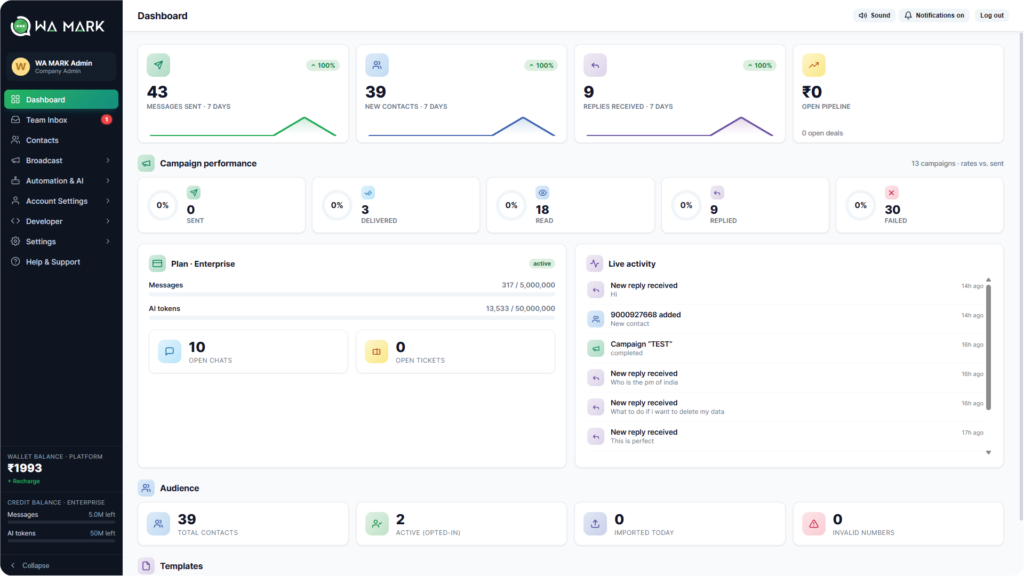
It lets software send and receive WhatsApp messages for your business. There’s no app to download: you use it through a provider’s dashboard or your own system.
That gives you things the free WhatsApp Business app can’t:
Meta retired the older On-Premises API on 23 October 2025. Every new setup runs on the Cloud API, which Meta hosts, so there’s no server for you to look after.
| WhatsApp Business app | WhatsApp API for business | |
|---|---|---|
| Built for | One owner or a very small team on a phone | Teams, campaigns and automation |
| People on one number | One phone plus up to 4 linked devices | As many agents as your provider’s plan allows |
| Bulk messages | Broadcast lists, with limits | Template campaigns to opted-in customers, scaled by Meta’s messaging limits |
| Chatbots | Greeting and away messages | Full bots and AI replies |
| Cost | Free | Meta’s per-message charges plus a provider fee |
Still on the Business app? WhatsApp Business Web login shows how to run it on a computer while you decide.
Not to start. A new business portfolio can message up to 250 unique customers in a rolling 24 hours outside the reply window, and can register two numbers at first.
Meta’s messaging limits page gives two ways up to 2,000: verify your business, or deliver 2,000 messages to unique numbers within 30 days using high-quality templates. After that the limit climbs on its own, to 10,000, then 100,000, then unlimited, as long as your quality stays high and you use at least half your current limit in a week.
If you want the higher limit sooner, verify. Meta asks for a document that shows your legal business name and address. Provider guides list these for India:
No GST? Several provider guides say Indian businesses that are exempt can use one of the others. Meta makes the call, so check the list in your portfolio’s Security Centre first.
The legal name on the document has to match your portfolio, and the file has to be clear and unexpired. Providers quote anything from a few minutes to a few weeks for the review, and Meta gives no guarantee.
Through a provider the setup is a handful of screens. The order is the same whichever provider you pick.
The slow parts are Meta’s reviews, not the connection. Plan for a few days from first login to first campaign, longer if verification is involved.
Connect your number and see it work
Log in with Facebook, confirm your number and send a first template. Plans start at ₹999 a month before GST.
Start with WaMarkSee pricingThere are two bills. Meta charges for the messages you send, and your provider charges a monthly fee for the software.
| Message type | Meta’s charge in India, before 18% GST |
|---|---|
| Marketing template | ₹0.8631 per delivered message |
| Utility template | ₹0.115 |
| Authentication template (one-time codes) | ₹0.115 |
| Free-form reply inside the 24-hour window | ₹0.115 since 1 October 2026 |
| Conversation from a Click-to-WhatsApp ad | Free for up to 7 days after the customer taps the ad (Meta’s pricing page) |
Utility templates sent inside an open window are charged again from 1 October 2026 too. Meta’s pricing page has the rate cards, and the rates differ by country.
Meta’s page lists no free monthly allowance of replies. Some vendors report 1,000 free service replies per number each month, so check WhatsApp Manager before you budget.
Here’s what a month can look like with WaMark’s plans:
| Small shop on Basic | Growing team on Growth | |
|---|---|---|
| Plan | ₹999 | ₹6,999 |
| Marketing templates | 1,000 × ₹0.8631 = ₹863 | 5,000 × ₹0.8631 = ₹4,316 |
| Replies | 500 × ₹0.115 = ₹58 | 3,000 × ₹0.115 = ₹345 |
| Total, before GST | about ₹1,920 | about ₹11,660 |
Your own mix will differ, and a free allowance would lower the reply line. For every line of the bill, read WhatsApp Business API pricing in India.
You can also build on Meta’s Cloud API yourself. Meta charges per message and nothing for the API, so there’s no platform fee. The catch is the work: webhooks, a template manager, an inbox, retries and opt-out handling all become yours to build and maintain.
| Through a provider | Directly on the Cloud API | |
|---|---|---|
| Setup | Minutes to connect, then Meta’s reviews | Weeks of development, then Meta’s reviews |
| Inbox, campaigns, bots | Included in the plan | You build them |
| Billing | A provider invoice in INR, usually with GST, plus Meta’s message charges | Meta’s message charges only |
| Best for | Most businesses | Teams with engineers and unusual needs |
Developers who want to build on a provider’s API instead can start with the WhatsApp gateway API page.
WaMark connects numbers the standard way with “Connect with Facebook”. You log in, choose your business portfolio and confirm the number, and WaMark finishes the registration with Meta for you. You land in a shared inbox with templates, campaigns and chatbots.
A number connected this way stops working in the WhatsApp Business app. Meta has a coexistence option that keeps both, with limits, and WaMark doesn’t use it. Pick a number you’re ready to move, or start a new one.
Plans are Basic ₹999 (1 agent, 1 number), Starter ₹2,999 (3 agents), Growth ₹6,999 (10 agents, 3 numbers) and Business ₹14,999 (30 agents, 10 numbers), before 18% GST. Meta bills your WhatsApp Business account directly for the messages, and WaMark adds no platform fee on top. The pricing page has the current limits.
The full rules are in our guide to sending bulk WhatsApp messages without getting banned.
It is Meta’s official way for a business to send and receive WhatsApp messages through software. It runs on the Cloud API and supports many agents on one number, template campaigns and chatbots. It has no app of its own, so you use it through a provider.
Create a Meta business portfolio, pick a number that isn’t registered on WhatsApp, and connect it through a provider with a Facebook login. Meta then reviews your display name and message templates. Business verification is optional at the start and raises your limit.
Meta charges nothing for the API itself, but you pay for each delivered message: ₹0.115 for utility and ₹0.8631 for marketing in India, before GST. Since 1 October 2026 free-form replies inside the 24-hour window are charged too. Your provider adds a monthly fee.
Not to start. A GST certificate is one document Meta accepts for business verification, and provider guides say Indian businesses without GST can use others, such as a Udyam registration. Check the list in your Meta Security Centre before you upload anything.
Not with the standard setup. The number moves to the API and stops working in the app. Meta’s coexistence option keeps both, with limits, but not every provider supports it. WaMark connects numbers the standard way.
Connecting a number takes minutes. Meta’s reviews set the pace: templates can take up to 24 hours, and providers report business verification taking anywhere from minutes to a few weeks. Plan for a few days from first login to first campaign.
For any new setup, yes. Meta retired the older On-Premises version on 23 October 2025, so the WhatsApp Business API now means the Cloud API.
Ready to get the WhatsApp API for business?
Connect with Facebook, import your contacts and get your team on one shared inbox.
Start with WaMarkSee pricingRelated guides