WhatsApp CRM integration: 4 ways to connect and what to check
A WhatsApp CRM integration moves WhatsApp conversations and leads into your CRM, and CRM data back into the chat.
Quick answerA WhatsApp CRM integration sounds like one thing and is really four. Somebody types a lead’s details into a sheet. A form posts to a URL. A chatbot asks your CRM “does this customer exist?” And a salesperson wants the chat history sitting next to the deal.
Each of these has a different cost and a different way of breaking. A good WhatsApp CRM integration is the dullest one that does the job. I’ll go through them in the order I’d try them, then give you a checklist to run before you commit to any vendor.
Start by listing what a WhatsApp CRM integration has to move
Write down the data on a sticky note. Most shops need only three flows.
- Into the CRM. New lead name, number, source, and what they asked for.
- Out of the CRM. A stage change (quote sent, paid, delivered) that should trigger a WhatsApp message.
- Lookup during a chat. Order status, appointment time, ticket number, pulled live.
If you only need the first flow, a spreadsheet may be enough. If you need the third, you need an API call, and that decides which tools you can use.
The four ways to connect, side by side
Route 1: use the CRM that comes with the tool
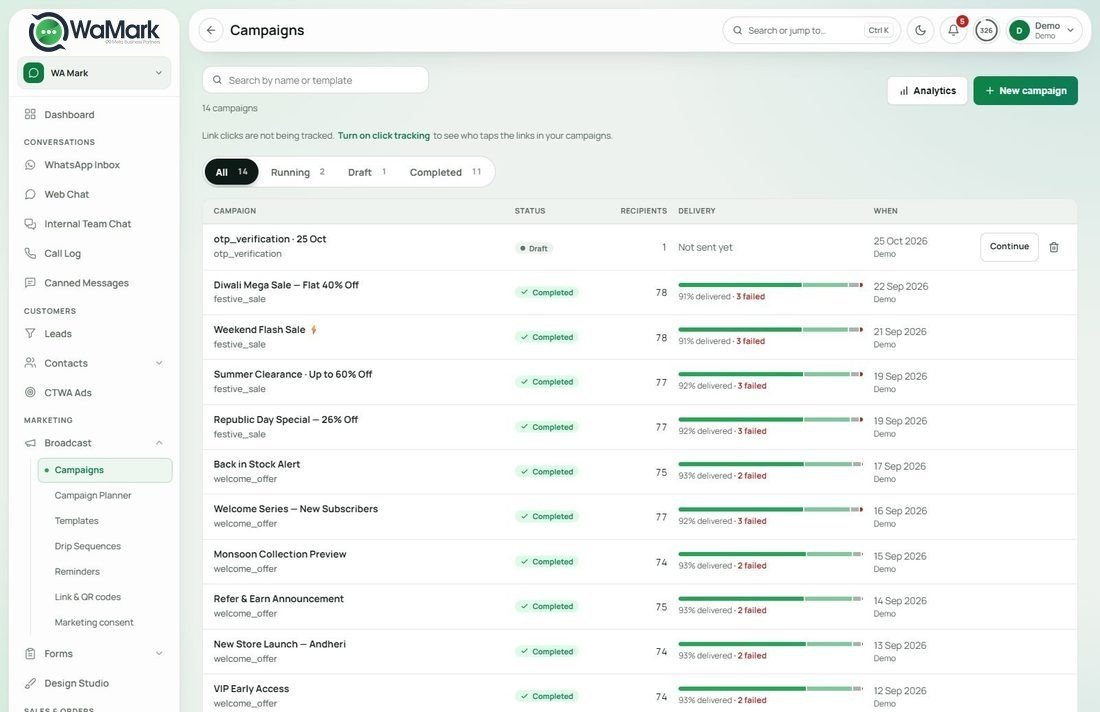
If you don’t have a CRM, don’t buy one to integrate. WaMark’s built-in CRM holds contacts, tags, custom fields, groups, a kanban lead pipeline, and filters by state, area or pincode. CSV import de-duplicates, so loading the old customer list twice doesn’t create twins.
Chats can also be backed up to your own Google Drive, which is a small integration that people forget they have. The WhatsApp CRM software guide lists what to compare if you’re still shopping, and the post on free WhatsApp CRM options covers the zero-budget end.
Route 2: Google Sheets as the bridge
This is the humble one and it works. Leads from WhatsApp chats and forms land as rows in a Google Sheet that your team already opens every day. A sheet also plays well with whatever you use next, since most CRMs can import a CSV from it.
Do it when one person owns the follow-up and the data is a handful of columns. Skip it when three people edit the same rows, because a sheet has no history of who changed what in the way a CRM does.
Route 3: webhooks and a REST API for WhatsApp CRM integration
This is the one that connects to anything. A webhook is Meta (or your platform) calling a URL you control when something happens. Meta’s documentation says the WhatsApp webhooks cover incoming messages and the status of the messages you sent, plus fields for template status and quality changes. Read Meta’s webhooks overview once, even if you never write code. It will make vendor conversations shorter.
Three details from that page matter to anyone building this.
- Meta expects an HTTP 200 reply. If it doesn’t get one, it retries with decreasing frequency for up to 7 days.
- Retries mean you can receive the same event twice. Your handler has to cope with duplicates.
- Payloads can be up to 3 MB, so don’t assume a tiny message.
The practical translation: if a no-code tool pushes a lead into your CRM, ask what happens when the same message arrives twice. A good answer is “we check the message ID”. A shrug costs you duplicate deals.
WaMark offers webhooks and a REST developer API, so a CRM that can receive a webhook or call an API can talk to it. I haven’t listed ready-made connectors for named CRMs here, because I can’t verify any to name; if you use a specific CRM, ask us whether it works through the API before you plan around it.
Connect your CRM to WhatsApp
WaMark has webhooks, a REST API and a CRM step inside chatbots. Plans start at ₹999 a month before 18% GST.
Route 4: look things up inside a chatbot
Here the chatbot calls your CRM by itself. A customer types “where’s my order?”, the bot asks your system for the status, and the reply goes back in the same chat. WaMark’s chatbot builder can call your own CRM or any REST API mid-conversation to look up a customer or raise a ticket.
The bot builder itself is no-code, with buttons, conditions, webhooks and Google Sheets. The only technical part is knowing your CRM’s API address and the key it wants. If you’d like to see the bot side in more detail, our guide to WhatsApp chatbots for ecommerce shows order-status flows.
One honest caution. A live lookup adds a wait. If your CRM takes eight seconds to answer, the customer sits in silence. Test the slowest case.
What a lead form does for integration
A WhatsApp Flow is Meta’s native form that opens inside the chat. It collects clean fields (name, budget, date) instead of free text, which makes pushing into a CRM far less messy. A line like “around 40 lakh, maybe” in a text chat is hard to map to a field. A dropdown is easy.
WaMark builds Flows, so the form side is covered. If you only change one thing in your lead capture, change free text to a form.
Which WhatsApp CRM integration to build first
Use these rules in order and stop at the first one that fits.
- No CRM today? Use the built-in one and skip integration for now.
- A CRM you love, but leads still get retyped? Start with a Sheets bridge or a webhook that creates the lead. That removes the retyping.
- Customers keep asking for status? Add the chatbot lookup. It deflects the most repeated question first.
- Sales needs to message from the CRM? Use the REST API, and test the 24-hour window rules before you promise anything.
Rule 4 trips people up. Free-form messages go out only inside the 24-hour window that opens when the customer writes to you; outside it you need an approved template. A CRM button that says “Send WhatsApp” has to know which case it’s in.
Done in this order, a WhatsApp CRM integration grows with your team. Done in reverse, you build a clever two-way sync for a business that still has no lead list.
A worked example: what manual entry costs
Say a coaching centre gets 200 enquiries a month on WhatsApp. A counsellor copies each one into the CRM: 2 minutes for name, number, course and source.
200 × 2 minutes = 400 minutes, which is 6.67 hours. At ₹250 an hour for the counsellor’s time that’s about ₹1,667 a month, and that’s before counting the leads copied wrong or forgotten.
A Sheets or webhook route costs a one-time setup of maybe an afternoon. Even if the connector costs you ₹500 a month, it pays back within the first month. The figures are my assumptions; swap in your own hourly cost.
A checklist before you pay for any WhatsApp CRM integration
- Direction. Does data flow one way or both ways?
- Duplicates. What happens when the same lead or event arrives twice?
- Failures. If your CRM is down for an hour, are events queued or lost?
- Opt-out. Does a STOP reply update the CRM and stop future sends? The platform leaves out anyone who replies STOP, but your CRM must know too, or your own team will message them.
- Ownership. Who gets blamed when a lead goes missing, the vendor, the connector or you?
- Test. Send one real lead end to end, and one from a phone number that already exists.
Step 4 is where I see the most real damage. A customer says STOP on WhatsApp and the CRM still shows “active”, so a salesperson sends an offer anyway. Meta’s policy says you must respect opt-out requests, and users can block or report you, which can lead WhatsApp to limit your messaging.
The features page shows where each piece lives inside WaMark.
Frequently asked questions
What is a WhatsApp CRM integration?
A WhatsApp CRM integration connects WhatsApp chats with your CRM so leads, messages and stage changes move between them without retyping. It can be a built-in CRM, a Google Sheet, webhooks with a REST API, or a chatbot that looks up your CRM mid-chat.
Can I connect my existing CRM to the WhatsApp Business API?
Usually yes, if your CRM can receive webhooks or call a REST API. The connection can be coded or built with a no-code connector. Check how the connector handles duplicate events and downtime before you rely on it.
Does WaMark integrate with Zoho, HubSpot or Salesforce?
I have no verified list of ready-made connectors for those CRMs to quote. WaMark provides webhooks, a REST API and a chatbot step that calls any REST API, so a CRM with an API can usually connect. Ask us about your CRM before planning around it.
Is Google Sheets enough as a WhatsApp CRM integration?
For one person following up a few hundred leads, yes. A Google Sheets WhatsApp CRM integration is simple and free to start. It gets messy when several people edit the same rows, because a sheet keeps no deal history.
Do webhooks need a developer?
Receiving and handling webhooks usually needs a developer or a no-code connector. Meta retries failed deliveries for up to 7 days, so the receiving side must accept duplicates. Without that care you can end up with double leads.
Ready to try it on your own chats?
Plans start at ₹999 a month before 18% GST.







Have a question about this post?
Your email address will not be published. Required fields are marked *