A WhatsApp OTP API sends one-time passwords as WhatsApp authentication template messages.
Quick answer

WaMark
WhatsApp marketing and CRMPractical guides on WhatsApp marketing, the Business API and running your business on WhatsApp.
Get started


A WhatsApp OTP API sends one-time passwords as WhatsApp authentication template messages.
Quick answerMost apps in India still send login codes by SMS. It works, until the code arrives 40 seconds late, or never, and the user is stuck on your sign-up screen. A WhatsApp OTP API is the other route: the code lands in the chat the person already has open all day.
This guide covers what the API actually is, what Meta fixes in the template, the cost in rupees, how it compares with SMS, and the security basics your developer must not skip.
There is no separate OTP product. You send a message template in the authentication category through the WhatsApp Business Platform (the Cloud API). Your server makes the call; Meta delivers the message.
Meta’s rule is firm: if your app offers WhatsApp delivery of verification codes, you must use an authentication template (Meta’s authentication template docs). You can’t dress a code up as a utility message to dodge it.
The template body is fixed. It reads, in Meta’s words, “<VERIFICATION_CODE> is your verification code.” You can add a security line (“For your security, do not share this code”) and a footer saying how many minutes the code lasts, from 1 to 90.
That is why authentication templates get approved fast. There is almost nothing for Meta to object to.
Each authentication template carries one button option.
Meta’s docs add that iOS 26 and later offers keyboard suggestions from the push notification, while older iOS versions have no autofill, so copy code is the one that works there. Most Indian web sign-ups will use copy code and nothing else.
Since 1 July 2025 Meta bills per delivered message. From 1 January 2026 the India rate for an authentication message is ₹0.115 before 18% GST. Prices follow the recipient’s country code, so an OTP to a +91 number is priced in India terms wherever your server sits.
Failed sends are the part to watch. Meta charges for delivered messages, so a code sent to a number that isn’t on WhatsApp should not bill, but check your own WhatsApp Manager statement for how your account behaves.
In WaMark’s setup Meta bills the business directly at its rate. WaMark adds no markup on top of Meta’s per-message charge; you pay WaMark only for the plan, from ₹999 a month before 18% GST. The WhatsApp Business API pricing guide has the other categories.
I’m not going to quote an SMS price here. It varies by provider and volume, and I’d rather you get two live quotes and put them next to the 13.5 paise above.
What I can compare is the setup.
On the SMS side, India’s DLT system (registering your business, sender ID and message templates with the operators) covers OTPs as well as promotional messages, according to provider guides from Exotel and Plivo. Those are vendor pages, not TRAI itself, so confirm the current rules on your operator’s DLT portal before you plan around them.
My stance: use WhatsApp first for users who live on it, which in India is a lot of people, and keep SMS as the fallback. If the WhatsApp send fails or the number isn’t on WhatsApp, fall back after a short wait. Offering both costs you little and saves the sign-up.
WaMark builds authentication templates in a few clicks and has a REST developer API and webhooks for your code.
I’d keep SMS as the main route in three cases. Your users are mostly on feature phones. Your audience is rural enough that data access is patchy. Or you’re a bank-style product where a regulator or an auditor expects a particular channel.
For a shop app, a coaching portal, a clinic booking page or a delivery service, WhatsApp is usually the faster path to a working login. The user opens a chat they already read ten times a day.
One more cost point. If you already pay for DLT registration and an SMS plan, switching isn’t free of effort: you’ll still run both for a while. Treat the first month as a test. Send half your codes on WhatsApp, half on SMS, and compare how many users finish the login within 2 minutes.

WhatsApp delivers the code. Everything else is on you.
Meta adds its own advice: confirm the user’s WhatsApp number before sending, and tell them the code is going to WhatsApp, especially if you offer other delivery methods. Both cut support tickets.
Codes go only to the user’s primary WhatsApp device. On linked devices the message is masked. Meta says this is on by default, can’t be configured, and works only on the Cloud API.
Ravi opens your app and types 9XXXXXXXXX. Your server creates a code, say 482913, stores its hash with a 10-minute expiry, and calls the API with your approved template.
482913 is your verification code. For your security, do not share this code. This code expires in 10 minutes.
Ravi taps copy code, returns to your app, pastes, and submits. Your server compares the hash, deletes the code and logs him in. If he does nothing for 30 seconds, the resend button wakes up, and after a second failure you offer SMS.
Log the outcome of every send, not the code. You want to know how many requests were sent, delivered, read and verified, because the gap between delivered and verified tells you whether the problem is the channel or your own screen.
If delivered is high and verified is low, look at the form. Is the code field tiny? Does the keyboard cover it? Does the page time out while the user is in WhatsApp? These are boring bugs and they lose real sign-ups.
Day 1: create the authentication template and submit it. Day 2: while you wait, write the server side, with generation, hashing, expiry and the attempt counter. Day 3: test with 3 internal numbers on copy code. Day 4 to 5: add the SMS fallback and the resend cool-down. Day 6: ship to 10% of sign-ups. Day 7: read your delivery statuses and decide.
Keep the template name simple and in lowercase with underscores, like login_code. You’ll be typing it in code for years.
WaMark runs on the official WhatsApp Business API. You create an authentication template in a few clicks, get it approved, and call WaMark’s REST developer API from your backend. Delivery and read status come back through webhooks.
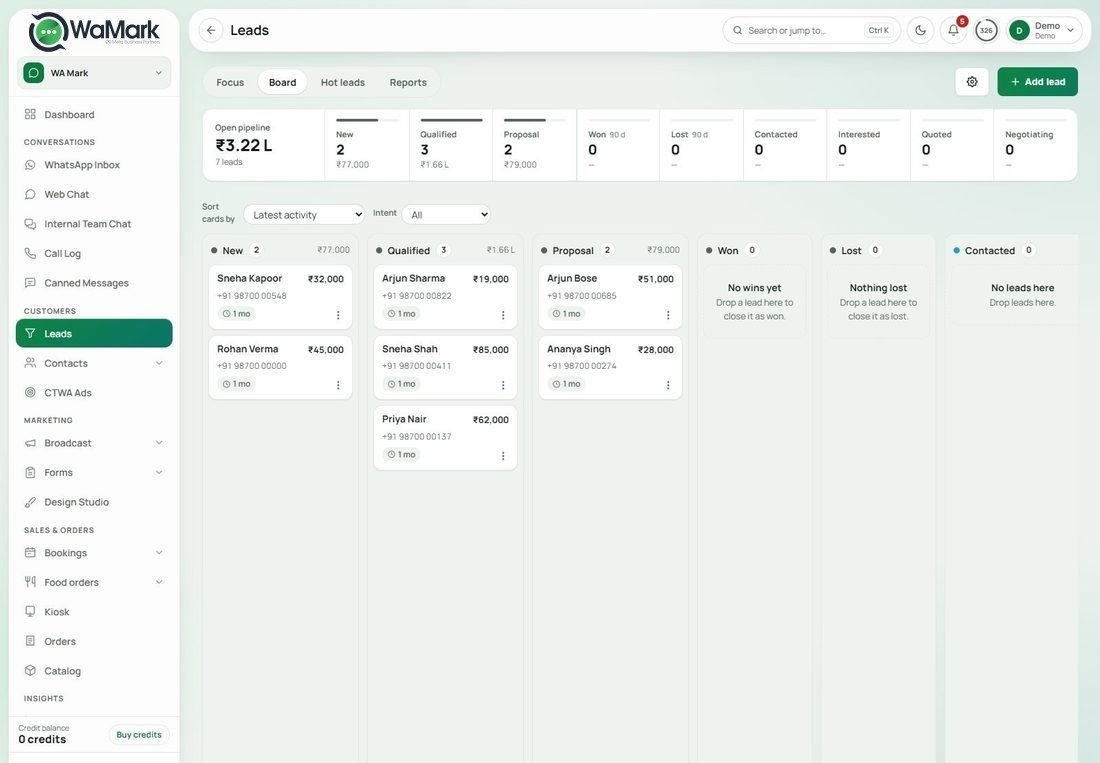
The same workspace holds your API account, your inbox and your campaigns, so support can see a failed code in the same place they handle chats. Details on the features page.
Meta charges ₹0.115 per delivered authentication message in India from 1 January 2026, before 18% GST. That is about ₹0.1357 with GST, so 10,000 OTPs come to ₹1,357. Your provider may add a plan fee, so check whether it marks up Meta’s rate.
It depends on your users. A WhatsApp OTP API reaches only people with WhatsApp and data, but skips the SMS operator route and the DLT template setup. Many teams send on WhatsApp first and fall back to SMS. Compare two live SMS quotes against ₹0.1357 per OTP.
Yes. Meta requires an authentication template for verification codes. The body is fixed: the code followed by “is your verification code”, with an optional security line and an expiry footer of 1 to 90 minutes. Approval is usually quick, within minutes to a day or two.
Yes. A website can use the copy code button, which works without app changes: the user taps, returns to the page and pastes. One-tap autofill and zero-tap need an Android app with extra setup. Your server still generates, stores and checks the code.
The code is sent to the primary WhatsApp device and masked on linked devices, per Meta. Security still depends on your side: use a random 6-digit code, expire it in 5 to 10 minutes, allow one use, limit attempts and rate-limit resends.
Plans start at ₹999 a month before 18% GST.
Related guides
Practical guides on WhatsApp marketing, the Business API and running your business on WhatsApp.
Get started


Have a question about this post?
Your email address will not be published. Required fields are marked *