How to accept payments on WhatsApp in India: links, UPI, refunds
To accept payments on WhatsApp in India, send the customer a payment link made with your own Razorpay, Cashfree or Stripe account.
Quick answerA customer messages “I want the blue one.” You reply with a price. Then comes the awkward part: “Send it to this UPI ID and share a screenshot.” Half the time the screenshot is blurry, the amount is wrong or the person drifts away.
You can accept payments on WhatsApp without that dance. The customer taps a link inside the chat, pays, and you see the status. Here are the options, what they cost, and the sums for a normal week.
Three ways to take money in a chat
Meta’s own payments feature for India uses an order message with a Review and Pay button, and its documentation lists BillDesk, Razorpay, PayU and Zaakpay as supported gateways, with UPI payments capped at ₹5,00,000 per transaction. Read the details in Meta’s payments documentation. Some of its features are still in early access, so I’d check with your provider before planning a business around it.
For most sellers the payment link is the practical choice. It works with the gateway account you may already have, and it needs no payments setup on Meta’s side.
How to accept payments on WhatsApp with a payment link
- The customer chats with you and agrees on an order.
- You (or a bot) create a payment link for the exact amount from your own gateway account and send it in the chat.
- The customer taps, picks UPI, card or netbanking, and pays.
- The gateway settles the money to your bank account, on its normal schedule.
- You send a confirmation and the GST invoice.
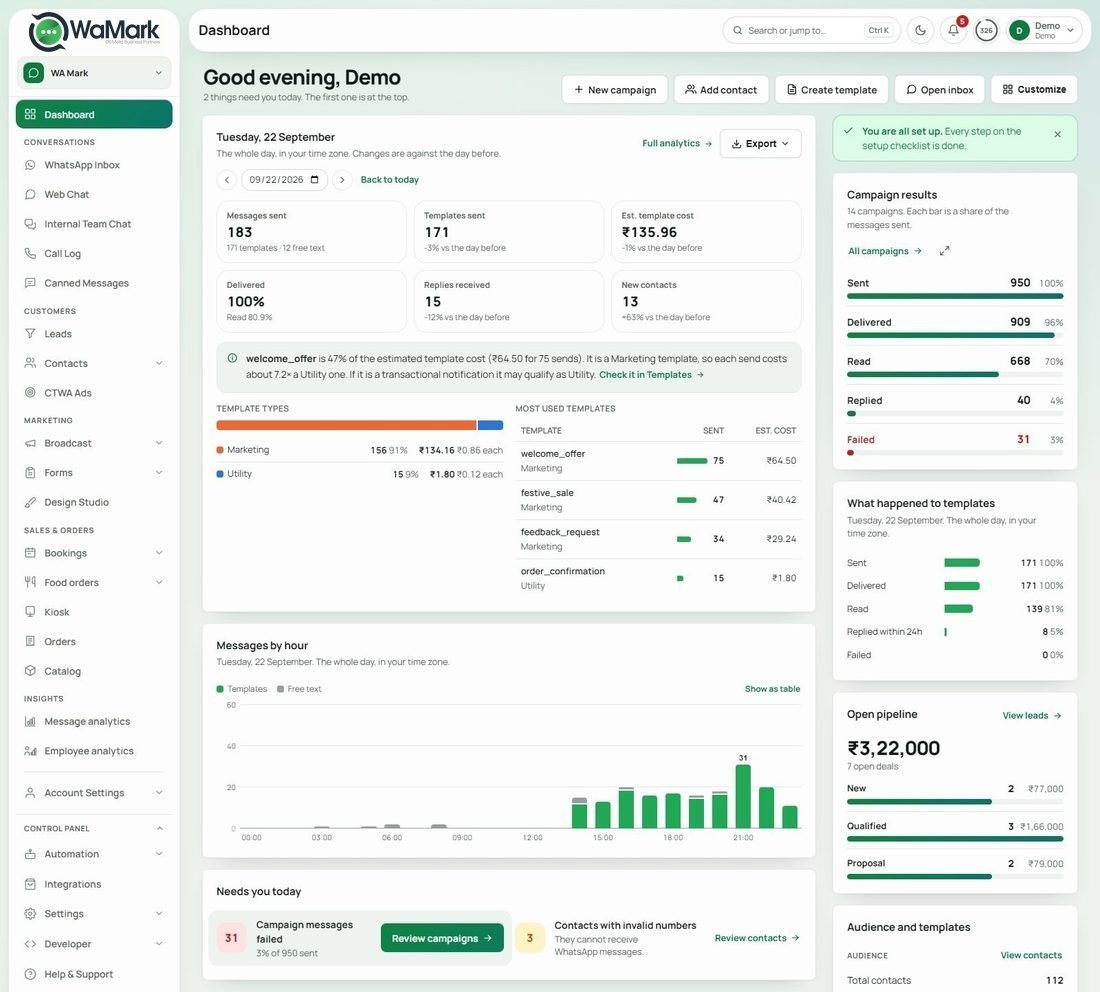
In WaMark, payment links run through your own Razorpay, Cashfree or Stripe account. The money goes straight to you, never through WaMark, and refunds are issued from the same screen. Orders appear in one list with GST tax invoice PDFs and credit notes, so the person who handles payments doesn’t have to chase screenshots.
That arrangement matters for a practical reason: your gateway account holds your KYC, your settlement bank details and your dispute history. A platform that took the money itself would sit between you and your own revenue. Here you stay the merchant of record.
What it costs to accept payments on WhatsApp: a worked example
Costs come from two places: your gateway, and Meta for the messages.
On the gateway side, Razorpay’s pricing page shows a 2% platform fee for UPI, cards and netbanking, with 18% GST on the fee. Your rate may differ, and Cashfree and Stripe have their own price lists, so read your own contract. For a ₹1,500 order:
- Fee: 2% of ₹1,500 = ₹30.00
- GST on the fee: 18% of ₹30 = ₹5.40
- Total deducted: ₹35.40, so you receive ₹1,464.60
On the WhatsApp side, Meta bills per delivered message. A free-form reply inside the 24-hour window is chargeable from 1 October 2026 at the market’s utility rate, which for India is ₹0.115 before GST. Three messages per order (payment link, confirmation, invoice) come to 3 × ₹0.115 = ₹0.345, or ₹0.41 with 18% GST. Template messages sent outside the window follow the category rate, so check how yours is classed.
Total cost of taking one ₹1,500 payment: ₹35.40 + ₹0.41 = ₹35.81, about 2.4%. For 200 orders a month that is 200 × ₹35.81 = ₹7,162. Add your WaMark plan on top; plans start at ₹999 a month before 18% GST.
Compare that with typing a UPI ID: the fee is zero, and your staff spend a few minutes per order matching screenshots to bank entries. At 200 orders and 3 minutes each, that is 10 hours a month. If an hour of your staff time costs more than ₹716, the link wins. If you take 10 orders a month, it doesn’t, and a UPI QR is fine.
Take the payment inside the chat
Payment links through your own Razorpay, Cashfree or Stripe account. The money goes to you. From ₹999 a month plus 18% GST.
UPI: what to tell customers
Most of your customers will pick UPI from the gateway page. A few practical points:
- Limits. Sources commonly put the general UPI ceiling at ₹1 lakh per transaction, with higher caps for some categories such as education, healthcare and insurance. Banks can set lower limits for their own customers. I couldn’t find a single official NPCI figure for every category, so check NPCI’s current circular if you sell high-ticket items.
- Failed payments. The customer’s money may show as pending for a short while. Tell them the link will update, and don’t send a second link right away, or you’ll get a double payment.
- Link expiry. Set links to expire, so an old link for a price that’s changed can’t be used.
Message wording that gets paid
A payment request should carry the amount, what it’s for, and what happens next. Keep it short.
Hi Rohan, your order #2210 (2 cotton shirts, size L) comes to ₹1,500. Pay here: {{1}}. We ship the same day once the payment shows. Reply here if you need help.
After payment, send a plain confirmation with the order number and the expected delivery date, and attach the invoice. If the link is still unpaid after a few hours, one polite follow-up is enough. A chat reminder to someone who left a cart is the same idea, and the WhatsApp abandoned cart recovery guide covers timing and cost.
Deposits work the same way. A salon or clinic can ask for a small advance through a link and book the slot after the payment lands. Bookings with an optional deposit are part of WaMark’s appointment feature; the booking guide that follows this one covers it.
Refunds and GST invoices
Refunds should leave from the system that took the payment. With the gateway link, the refund goes back through your Razorpay, Cashfree or Stripe account to the customer’s original method, and you can start it from the same WaMark screen where you see the order. Gateways have their own refund timelines and fee rules, so read your agreement; I haven’t verified what each one does with the original fee.
For GST, a business registered under GST must issue a tax invoice for taxable supplies. WaMark generates a GST tax invoice PDF for each order and a credit note when you refund. For the filing side, it can export GSTR-1 data and Tally or Zoho Books files. Your accountant should still check the numbers before you file anything, since rules depend on your registration and what you sell.
One habit saves hours: put the order number in the link description. When the gateway report shows a payment, you can match it to the chat in seconds, and the customer sees the same number on their receipt.
Keep the paper trail clean: one payment link per order, the order number inside the link description, and the invoice sent in the same chat. Six months later, when a customer says “I never paid”, the thread settles it.
Who should accept payments on WhatsApp which way
- Fewer than 20 orders a month, mostly repeat buyers: a UPI QR in the chat is fine.
- Dozens of orders a week, a few staff: payment links with a shared inbox, so anyone can send and track them. See how the WhatsApp chatbot for ecommerce handles the order side.
- High-ticket sales with long chats: payment link plus a human closing the sale. Don’t let a bot take big payments alone.
Whatever you choose, keep one rule: the customer pays your business, to your account, and you can show them where it went. You can see everything the platform does on the WaMark features page.
Frequently asked questions
Can I accept payments on WhatsApp in India?
Yes. The practical way is a payment link made with your own Razorpay, Cashfree or Stripe account, sent inside the chat. The customer pays by UPI, card or netbanking and the money settles to your bank account. Meta also offers an in-chat checkout for India through selected gateways.
Does WaMark hold my money when I accept payments on WhatsApp?
No. Payment links run through your own Razorpay, Cashfree or Stripe account, so the money goes straight to you and refunds are issued from the same screen. WaMark connects the chat, the order and the invoice. It is not a wallet or a payment processor.
How much does it cost to accept payments on WhatsApp?
You pay your gateway’s fee plus Meta’s message charges. Razorpay’s pricing page lists 2% plus 18% GST on the fee, so a ₹1,500 order costs ₹35.40 in fees. Meta’s utility rate is ₹0.115 per delivered message before GST. Check your own gateway contract.
Can I give a refund on WhatsApp payments?
Yes. Refunds go back through the gateway that took the payment, to the customer’s original payment method. In WaMark you can start a refund from the order screen. Timelines and fee treatment depend on your gateway, so confirm them in your agreement.
Can I send a GST invoice on WhatsApp after payment?
Yes. WaMark creates a GST tax invoice PDF for each order and a credit note for refunds, which you can send in the chat. It also exports GSTR-1 data and Tally or Zoho Books files. Ask your accountant to review the figures before filing.
Ready to try it on your own chats?
Plans start at ₹999 a month before 18% GST.







Have a question about this post?
Your email address will not be published. Required fields are marked *