Every online store hears the same five questions all day. Where’s my parcel. Can I change the address. Is this in size M. Did my order go through. Can I return it.
A WhatsApp chatbot for ecommerce takes the first few off your team’s plate and passes the rest to a person with the context already written down. That is a good deal. A bot that tries to win every argument is a bad one.
Skip the clever stuff. These four cover most of the volume in a typical Indian D2C store.
Returns and refunds are the fifth flow people ask for. I’d keep that one human-led until the first four run clean. Money questions deserve a person.
WhatsApp gives you structured replies for exactly this job. Meta’s Cloud API documents reply buttons (up to 3 per message, with titles of up to 20 characters) and list messages (up to 10 rows in total, row titles up to 24 characters). You’ll find the limits in Meta’s interactive reply buttons documentation.
So a menu looks like this:
Hi Aarav, welcome to the store. What do you need?
[Track my order] [Change address] [Talk to a person]
Three buttons. Tap, done. People answer buttons far more reliably than they write a clean sentence, and the bot never has to guess. For a longer menu (product categories, say), use a list message and keep it under 10 rows.
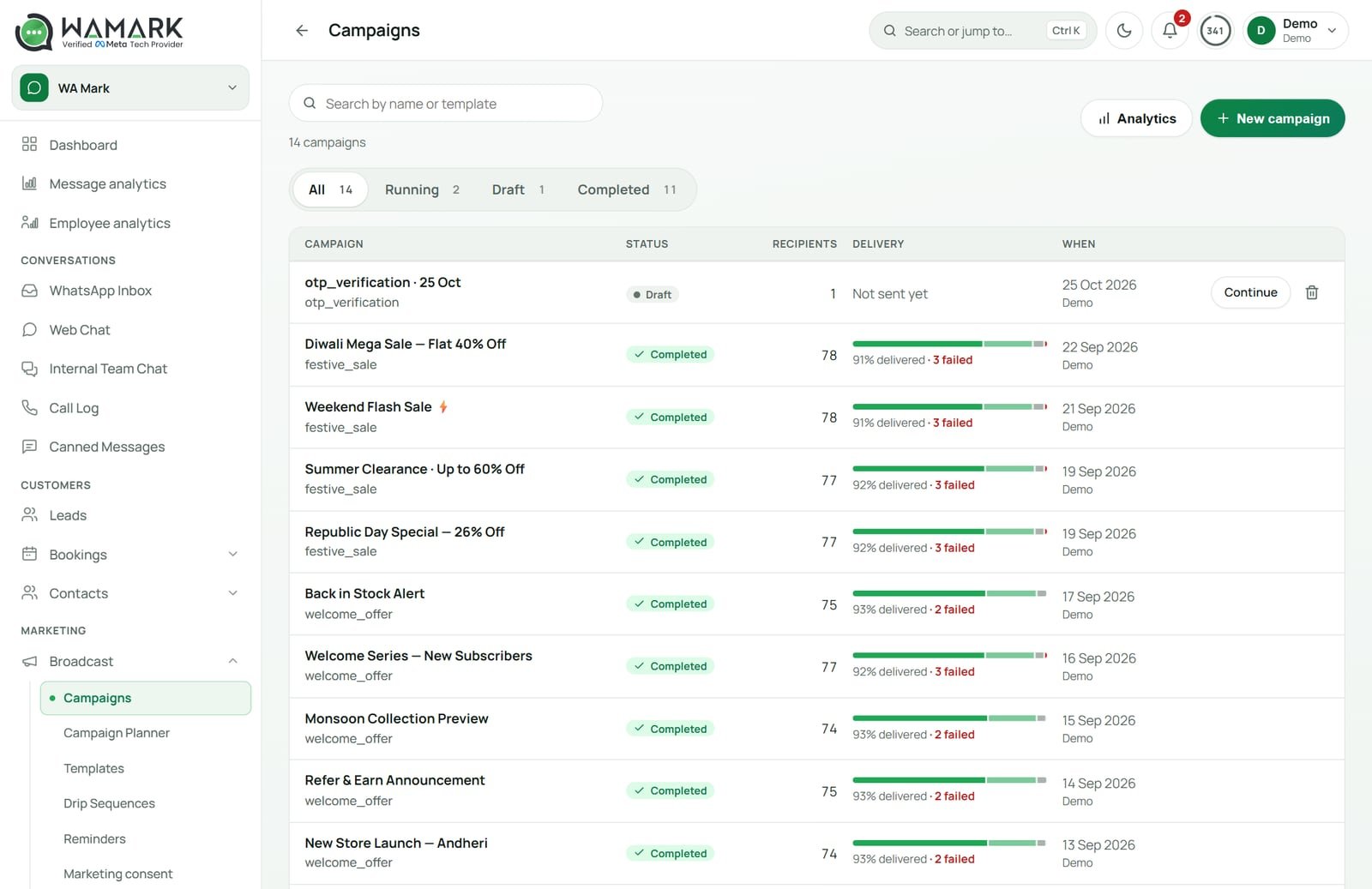
This is where most guides go vague, so here’s the specific picture for WaMark.
The practical split: automatic messages go out when something happens in your store (order placed, shipped), and the chatbot answers when the customer writes in. Both live in the same inbox, so your team sees the whole thread.
Want a sense of the broader tooling first? The WhatsApp chatbot guide for small businesses covers the basics, and the AI WhatsApp chatbot post explains how the AI side works and what Meta allows.
Cash on delivery is common in Indian ecommerce, and it’s also where a store loses money on dispatches that no one receives. A confirm-or-cancel message sent soon after the order catches the “I ordered by mistake” and “wrong address” cases before the parcel leaves.
A message that works:
Hi Meera, we got your order #1042 for ₹1,499 (cash on delivery). Delivery to Pune 411001 by Thursday. Please confirm so we can ship it today.
[Confirm order] [Cancel order]
Keep three things in it: what they ordered, the amount they’ll pay at the door, and where it’s going. Customers who recognise their own details tap Confirm. Customers who don’t, cancel, and you save the shipping charge.
I’m not going to promise you a drop in returns. Your mileage depends on your category, your pincodes and how fast the message goes out. Test it for 2 weeks on one product line and compare the return-to-origin count before and after.
A decision rule I use: if the answer can be looked up, the bot answers. If the answer needs judgment or money changes hands, a human takes over.
| Customer says | Bot does | Human steps in when |
|---|---|---|
| Where is my order? | Shares status and tracking link | Parcel stuck for days, courier dispute |
| Confirm my COD order | Handles Confirm and Cancel taps | Customer wants a change, not a yes/no |
| Do you have this in M? | Checks catalogue or answers from your docs | Question about fit, fabric advice, bulk price |
| I want a refund | Collects order number and reason | Always: a person approves refunds |
| This is the third time I’m asking! | Offers a person right away | Immediately |
Make the “Talk to a person” button visible in every menu. Hiding it makes people angry, and angry customers write one-star reviews and report your number.
The AI side has a rule from Meta as well. Meta’s updated Business Solution Terms bar general-purpose AI chatbots (assistants that answer anything) from the WhatsApp Business Platform from 15 January 2026. A store bot that answers questions about its own products and orders is a different thing, but I’d read the terms yourself and keep the AI tied to your own documents. The terms also bar using WhatsApp Business Solution data to train AI models.
Build your store’s first 4 flows
Order status, COD confirm, product questions and handoff, with Shopify or Ecwid connected. From ₹999 a month plus 18% GST.
Start with WaMarkSee pricingTake round numbers. They’re assumptions, so swap in your own.
100 × 3 minutes = 300 minutes, or 5 hours of agent time every day. If a bot with a tracking link settles 70% of them, you win back 210 minutes a day. Over a 26-day month that’s 210 × 26 ÷ 60 = 91 hours.
At an agent cost of ₹150 an hour (assumed), that’s ₹13,650 a month. The Growth plan, which is where chatbots and the AI agent sit, is ₹6,999 a month before GST, or ₹8,258.82 with 18% added. On these assumptions the time saving covers the software with about ₹5,391 to spare, and customers get faster replies as a bonus. At 40 orders a day the sums don’t work, and the automatic shipping messages from the Shopify or Ecwid connection are enough on their own.
Fixing these costs nothing but an hour of reading real chats. Do that once a week for the first month.
The time to start is before the festive rush, when message volume jumps. If you’re planning a sale, read the Black Friday WhatsApp plan next, then see how the WaMark features fit together.
It can answer order status questions, handle cash-on-delivery confirm or cancel taps, answer product and policy questions from your own documents, and pass the chat to a human with the history attached. Refunds and complaints should stay with a person.
Yes, with WaMark. It connects to Shopify and Ecwid and sends order confirmations, shipping updates, cash-on-delivery confirm-or-cancel messages and abandoned-cart reminders. The chatbot builder can also call your own REST API mid-chat to look up a customer or raise a ticket.
Yes, a bot that serves your own customers is how the platform is meant to be used. Meta’s updated terms bar general-purpose AI assistants from 15 January 2026. Keep your AI tied to your own catalogue, orders and policies, and read Meta’s terms to be sure.
WaMark plans start at ₹999 a month before 18% GST, with chatbots on higher plans. Meta bills messages separately: ₹0.8631 per marketing message and ₹0.115 per utility message in India before GST, and replies inside the 24-hour window are chargeable from 1 October 2026.
After a cash-on-delivery order, the customer gets a message with the order, the amount and the address, plus Confirm and Cancel buttons. A tap on Confirm lets you ship. A tap on Cancel stops the dispatch before you pay for shipping.
Ready to try it on your own chats?
Plans start at ₹999 a month before 18% GST.
Start with WaMarkSee pricingRelated guides


